Features
Everything it does. Quietly.
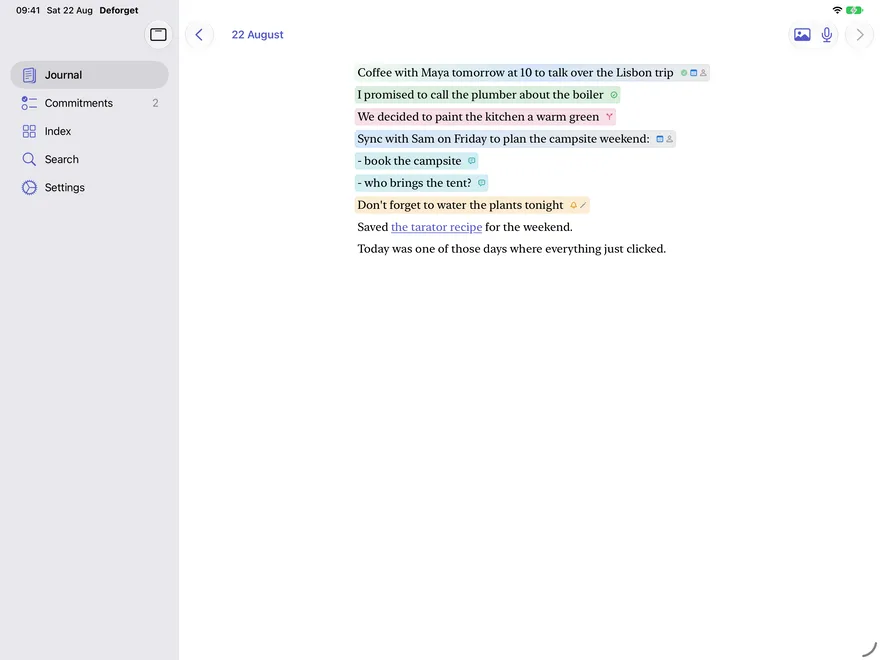
Deforget never asks you to organize. You write; structure condenses out of your words. Here is what condenses.
As you write
Seven kinds of thought, each in its own color.
Events, commitments, reminders, decisions, open questions, meeting notes, and the people they involve - highlighted right in your sentences the moment the on-device intelligence understands them. Plain reflection stays plain.
- Events
- Commitments
- Reminders
- Decisions
- Questions
- Meeting notes
Nothing slips
Promises keep themselves.
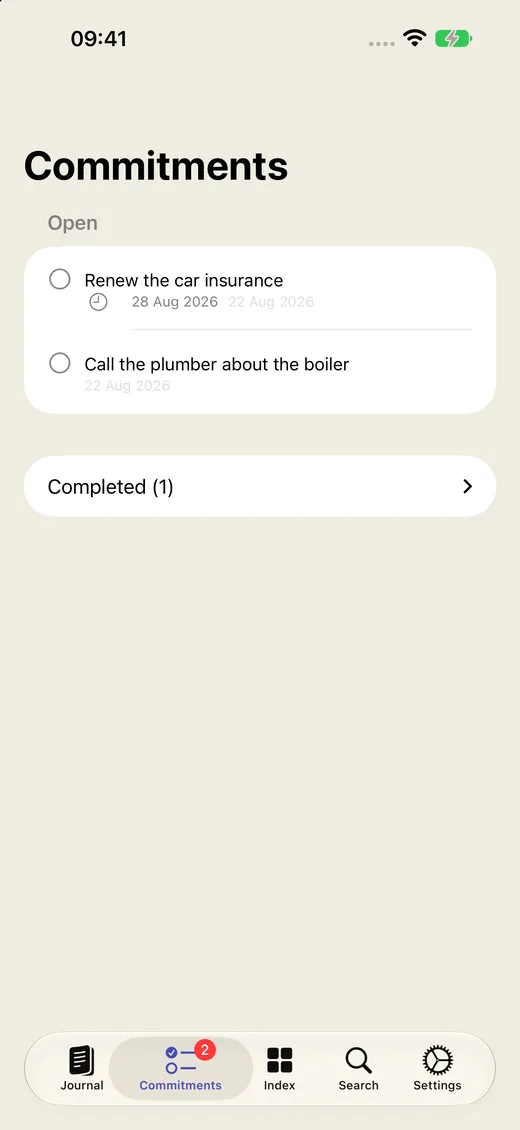
"I promised to call the plumber" becomes a reminder in Apple Reminders. "Coffee with Maya tomorrow at 10" lands in your calendar. Deforget reads dates the way you write them - tonight, next Friday, the 23rd - and anchors them to the day you wrote, not the day it read.
Check a commitment off in Deforget and its reminder completes; complete the reminder and the diary knows. One promise, one truth.
Before the meeting
Notes that find their meeting.
Jot talking points under "Sync with Sam on Friday:" and each bullet becomes a note attached to that meeting - the real one, in your calendar. Five minutes before it starts, they arrive as a notification. Walk in prepared.
Everyone, remembered
An index of your life.
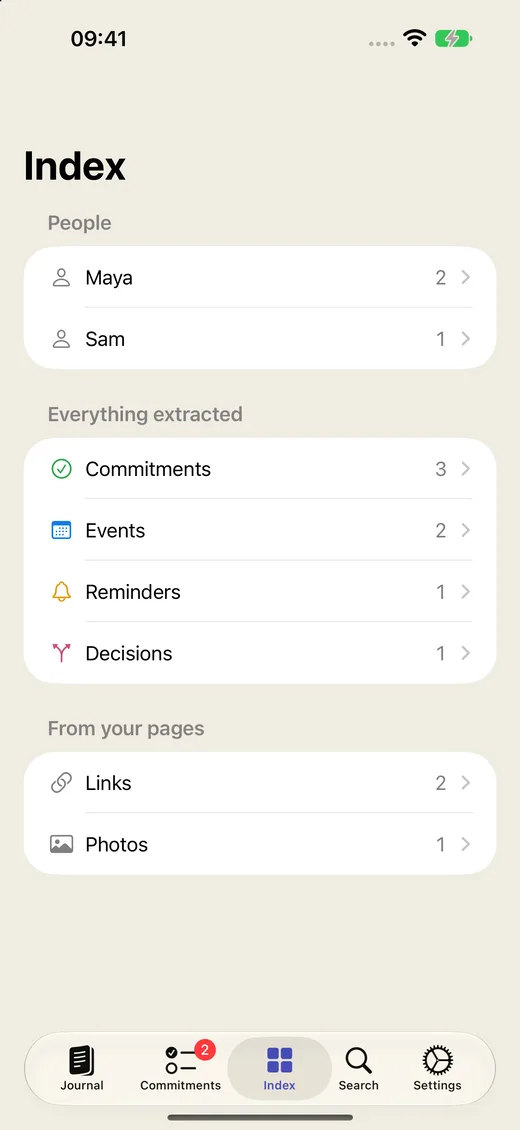
Every person you write about gets a page: the promises you made them, the plans you share, every mention across every entry. Link a person to their contact card once and Deforget recognizes them by any name you use.
Browse everything extracted - events, decisions, questions - or ask Search in plain words and let it find the day you half-remember.
Zero friction
Capture from anywhere.
A thought worth keeping rarely arrives while the app is open. Speak or type into Deforget from the Lock Screen, the Action button, a Home Screen widget, or ⌘⇧M on the Mac - it lands in today's page, and the intelligence takes it from there.
Private by architecture.
The intelligence runs on your device - Apple's model, your hardware, no server anywhere. Sync travels through your personal iCloud, unreadable to anyone but you. No analytics, no account, no tracking. Read the whole privacy story - it's short, because there's nothing to disclose.

And the small things
Details that add up.
Pages turn like a book
The page curl on iPhone, a slide on iPad and Mac. Past days are ink - readable, appendable, never accidentally rewritten.
Photos in your story
Paste or snap them into any entry. They sync, they export, and they never leave your devices.
Export, always
Your whole diary as Markdown or PDF, whenever you want it. A diary never takes hostages.
Hands-free dictation
Speak and walk away - silence adds the entry by itself.
File it yourself
Type / on any line, or select text and file it as a commitment, event, or question - the intelligence never second-guesses you.
You have the final say
Dismiss a wrong highlight with one tap. It stays dismissed, everywhere.
Start remembering.

